
How to use Apple Music Sing on iPhone, iPad, and Apple TV
In iOS 16.2, Apple introduced Apple Music Sing, a feature within Apple Music that allows you to sing along to your favorite songs. It's currently available to all Apple Music subscribers worldwide. This article shows you how to use Apple Music Sing on your iPhone, iPad, and Apple TV.
If you're looking for new ways to sing with your heart, this guide will walk you through the process of using Apple Music Sing.
recommend:How to solve the connection problem between AirPods Pro and iPhone
What is singing on Apple Music?
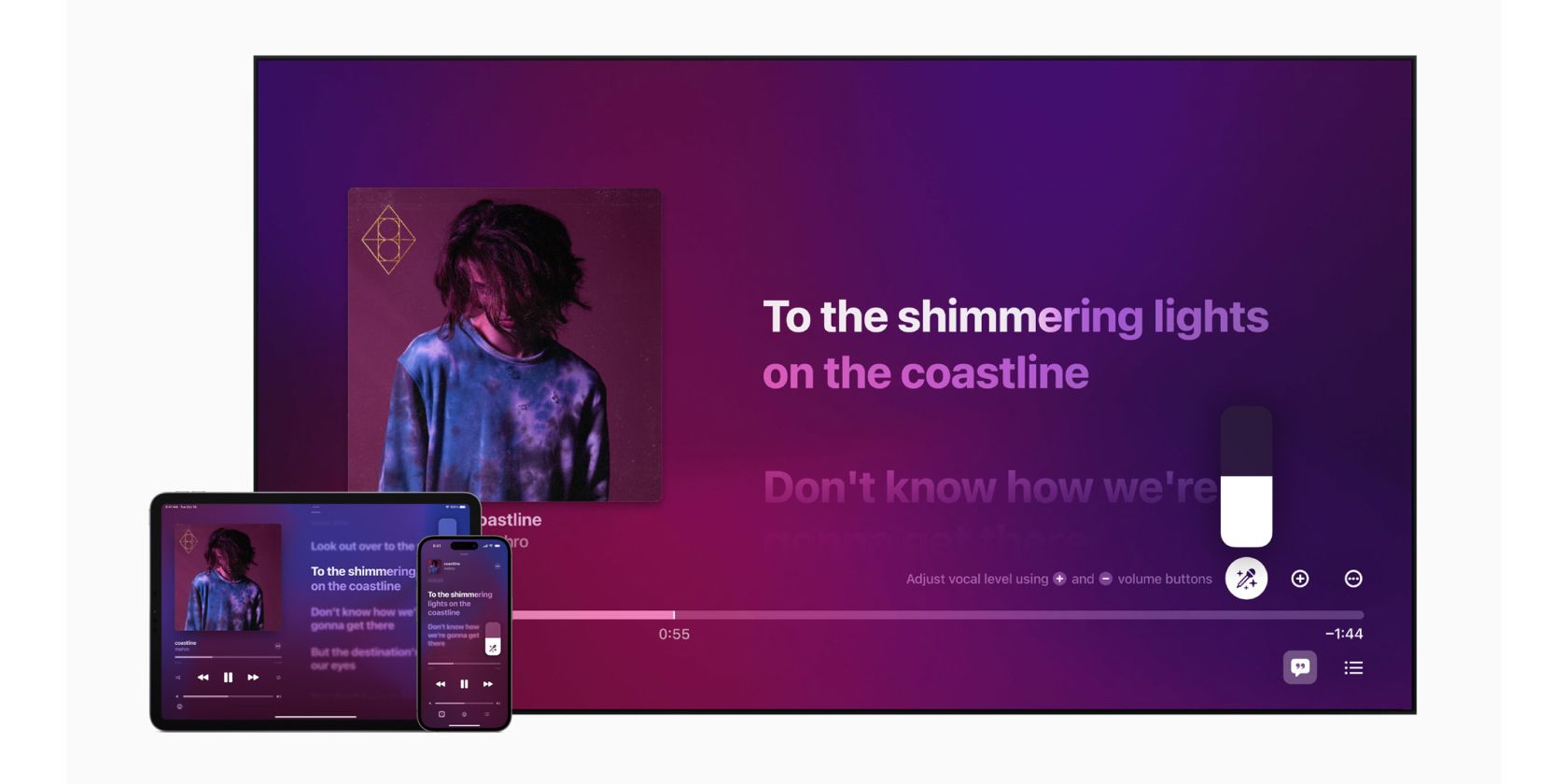
Apple Music Sing, introduced with iOS 16.2, lets you sing along to your favorite songs with real-time lyrics. It uses on-device machine learning algorithms to separate vocals and background music in real time, allowing you to adjust the volume of your vocals and focus solely on your own voice.
Apple Music Singing Requirements
While Apple Music Sing isn't available on all Apple devices, it's a feature most users can use. However, you must meet a few requirements before you can start singing. First, these are the devices that support Apple Music Sing:
- iPhone 11 or later, running iOS 16.2 or later.
- iPad 3rd generation or later, running iPadOS 16.2 or later.
- Apple TV 4K (2022), running tvOS 16.2 or later.
At the time of writing, Apple Music Sing is not available on Mac. Having a supported device is one option, but you'll also need a valid Apple Music subscription. Unfortunately, the Apple Music Voice plan does not offer this feature, so you'll need to determine the Apple Music plan that best suits your needs.
If you're an Android user, we have bad news. At the time of writing, Apple Music Sing is not available on Android, even if you have the correct subscription plan.
How to sing using Apple Music
Once you meet all the requirements for Apple Music Sing, you can use it on Apple Music. We'll show you how to use it on your iPhone and iPad, but the process is similar on Apple TV 4K. Here's how to access and use Apple Music Sing:
- Open Apple Music on your iPhone or iPad.
- Search and play any song supported by Apple Music Sing.
- beat Lyrics (quote mark) icon In the bottom left corner.
- Click Singing (microphone with a star) icon Enter Apple Music Sing on the right.
When you enter singing mode, the vocals will be at the lowest possible volume. You can adjust the vocal volume by swiping up or down. Sing icon.
In addition, you will see "Sing" under music tracks instead of Lossless or Dolby Atmos. Furthermore, even if you have Dolby Atmos and Spatial Audio enabled on Apple Music, tracks will switch to the standard version when you enable Apple Music Sing.
The lyrics are highlighted in real time, letting you know when to sing. Additionally, if a song features multiple artists, their lyrics are displayed on opposite sides, referred to as... Duet ViewIf you want to sing with other people, this is the ideal option.
Apple Music has a dedicated Sing category that includes a wide variety of songs compatible with Apple Music Sing. You can view playlists from the "Browse" section of the app. You can find great playlists such as Party Anthem, Sing the Hits, Iconic Duets, and more.
If you're looking for a specific genre, there are also genre-based playlists. Finally, the singing feature isn't limited to English; you can find it in other languages. Once you're satisfied with the vocals, you can turn off Apple Music Sing by tapping... Sing icon.
Use Apple Music Sing to enter karaoke mode.
Apple Music Sing is a great feature that lets you play your favorite songs without needing a third-party app. While Apple hasn't revealed which songs will be supported, you can always find out by tapping the lyrics icon and looking for the "Sing" option.
If you are an Android user or do not have an Apple Music subscription, you can still try some great karaoke apps.

 Chinese (China)
  English
  Chinese (Taiwan)
  Russian
  Japanese